

If this is your first time logging in and accessing your lessons, here's a guide to navigating the worshipguitaronline.com platform, and a step-by-step process showing you how to get around inside the course.
1) Log In
The first step is to make sure you're logged in.
You can log in to the student area by clicking this link.
2) Your Learning Dashboard
As soon as you log in, you'll be at the "Learning Dashboard" or "Course Home" page.
(Note that the above link will only work once you've logged in)
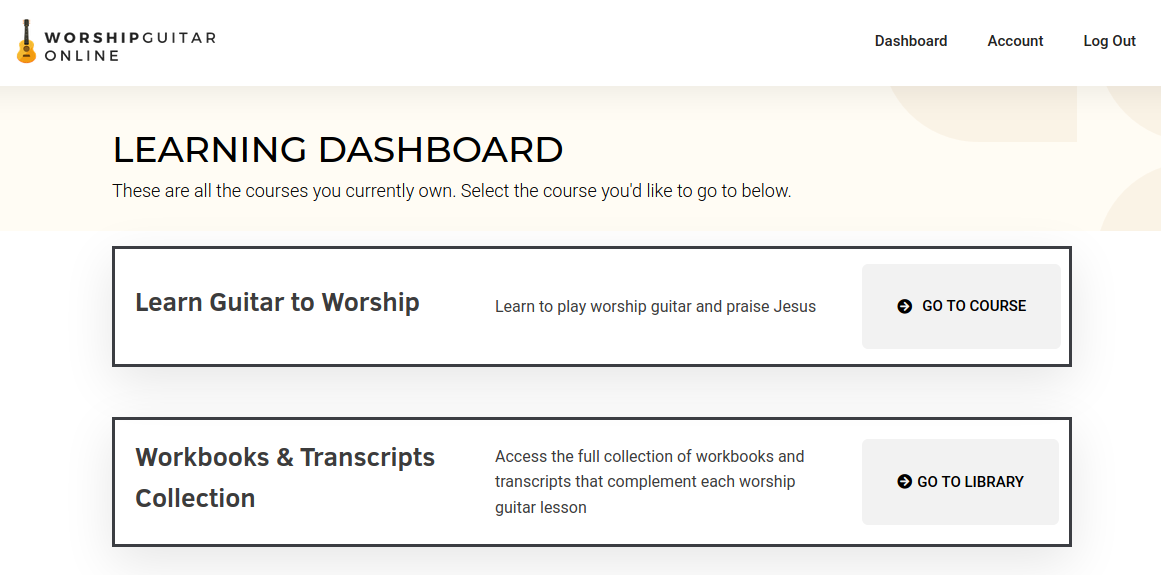
This is where you'll see all of the lessons/training programs you're a part of, and where you can easily browse from one to the other.
Note: You can enter your learning dashboard at any time by clicking the "Dashboard" link in the top menu.
3) Go to the Lessons Page
While you're still on the dashboard, you can click the "Go to Course" or "Go to Library" pages to be taken to your respective lesson area.
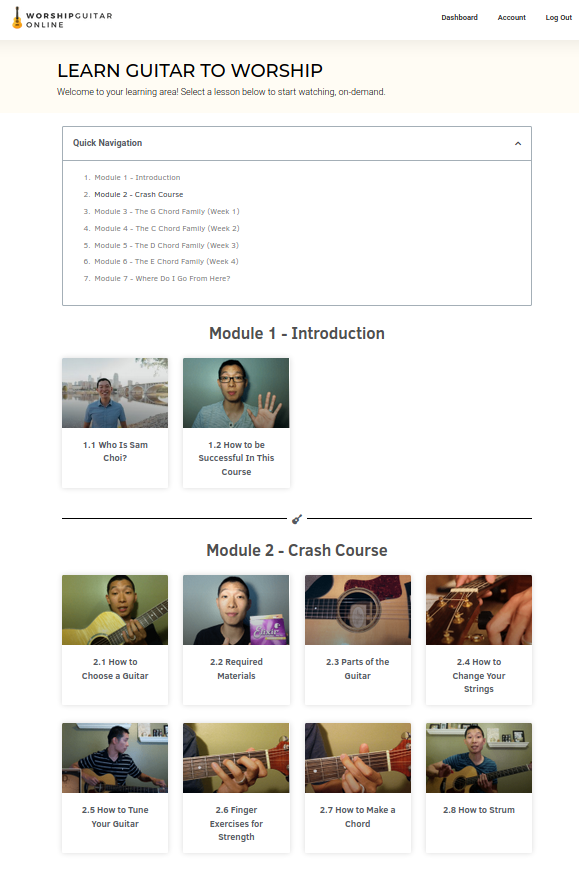
The screen capture shown below illustrates the lesson area once you've clicked "Go to Course" from the Dashboard.
4) Start Learning!
Now you can finally start absorbing the content and learning worship guitar step-by-step.
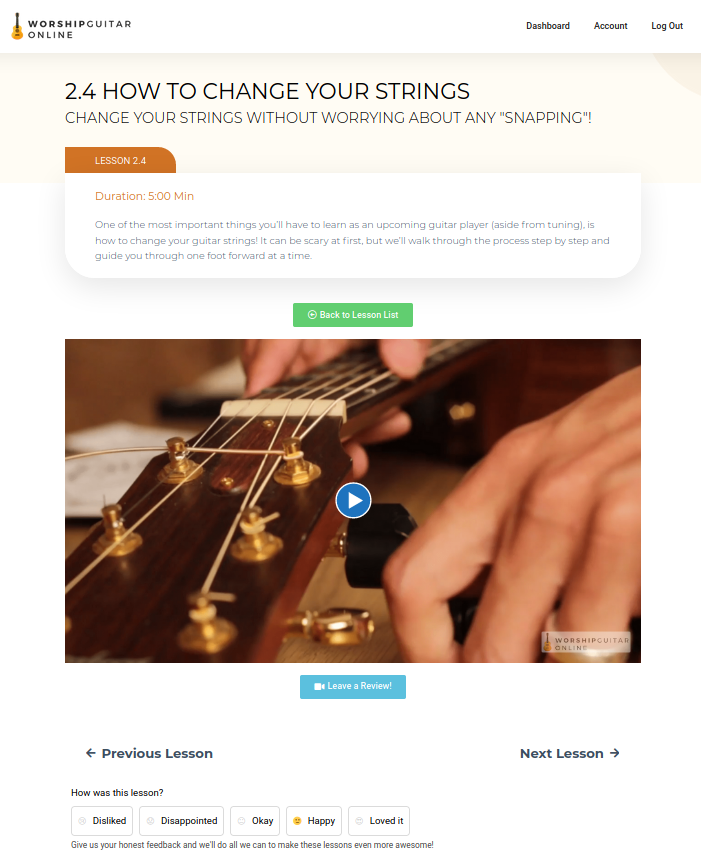
Click on any lesson in the list and it'll open up in a new tab on your browser.
If you have any further questions, please reach out to students@worshipguitaronline.com