

When you first joined, you were assigned a randomly generated password that arrived into your email inbox.
But what if you wanted to change your password to something you can actually remember?
In this guide, we're going to walk through how to change your password on worshipguitaronline.com. It's a very quick process that'll only take a minute or two.
1) Account Management Page
The first thing you'll want to do is make sure you're logged in. Here's a link to the login page.
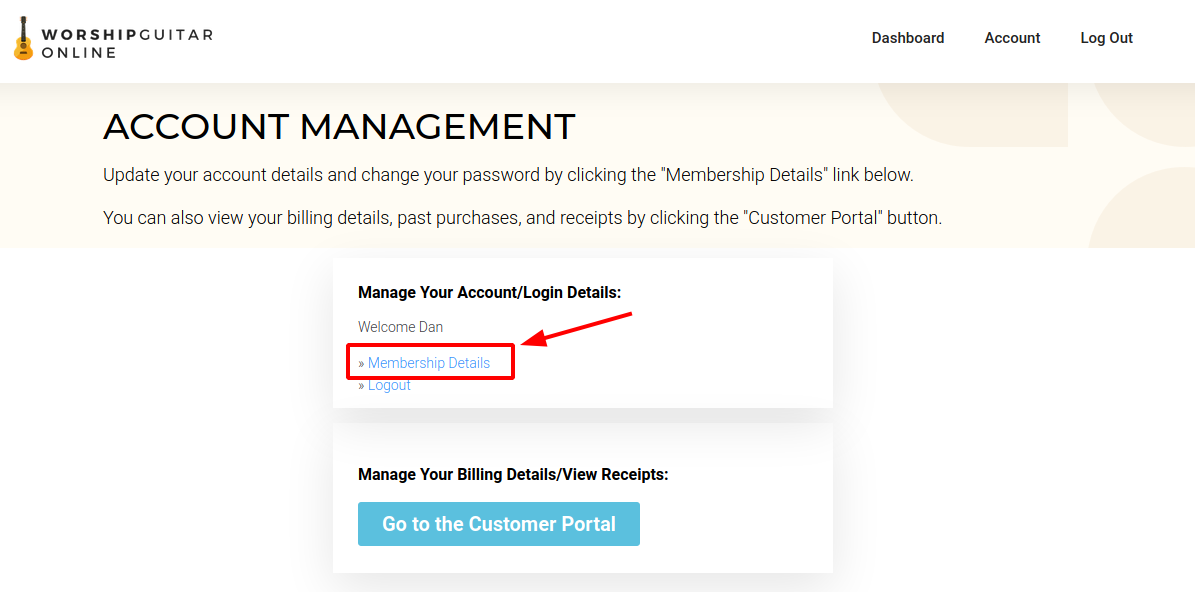
Once you're logged in, you'll want to click the "Account" menu item at the top of your screen, and then click
on "Membership Details." This is illustrated in the screenshot below.
2) Change Your Password
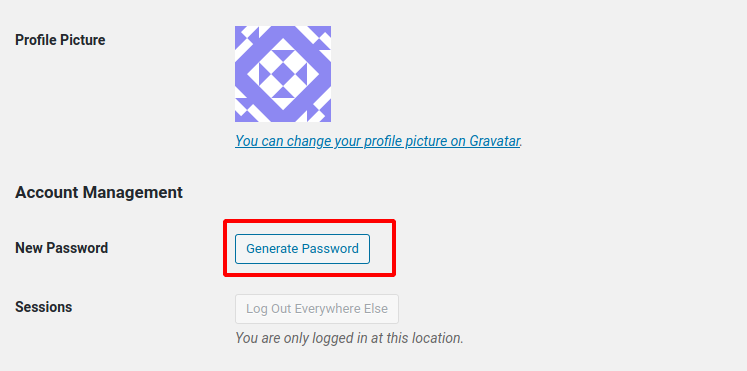
Once you're on the account management page, scroll down until you see the "Profile Picture" and "Account Management" section.
You'll see a button that says, "Generate Password." Click this button.
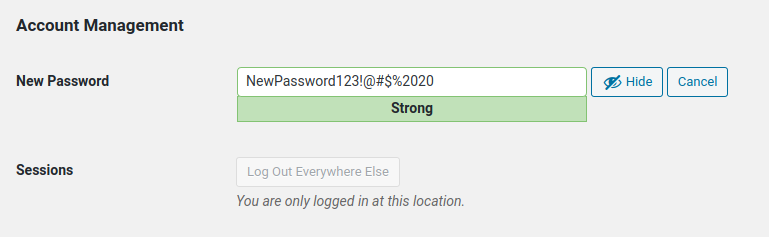
It will attempt to auto-generate a secure password for you, but you can replace this with your own!
Delete the text from the "New Password" field, and make it whatever you'd like your new password to be.
3) Save Settings
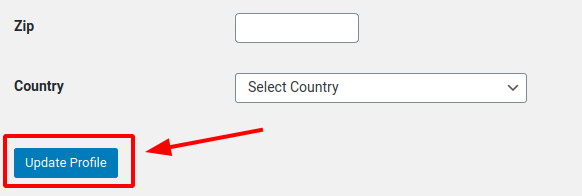
This is a very critical step! Your password won't save until you scroll to the bottom of the page and click the "Update Profile" button.
4) Test Your New Login
As a final step, you should make sure your password changed successfully, and that you're still able to log in. You can do this by re-entering your login information, and making sure that you're typing in the new password you just changed to.
You can access your dashboard by going to the following link after you've changed your password:
https://www.worshipguitaronline.com/course-home/
And remember, if you have any issues, email support: students@worshipguitaronline.com and we'll do our best to help as soon as possible!